Bank — Bank Reconciliation
Compare your bank activity with your records and resolve differences with less manual work.
Applies to: Dominican RepublicCurrent profile: Dominican Republic / ES
Localized Guides and Media
This article is documented for Dominican Republic workflows, so its screenshots and tutorial steps should match that audience.
1What Is Bank Reconciliation?
Reconciliation means: "Compare what the bank says I have vs. what I say I have."
Example:
- Bank says: You have RD$50,000
- Your records say: You have RD$50,200
- Difference: RD$200 (check not yet cashed)
Reconciliation = explain the difference.
2Reconciliation Process
Step by Step
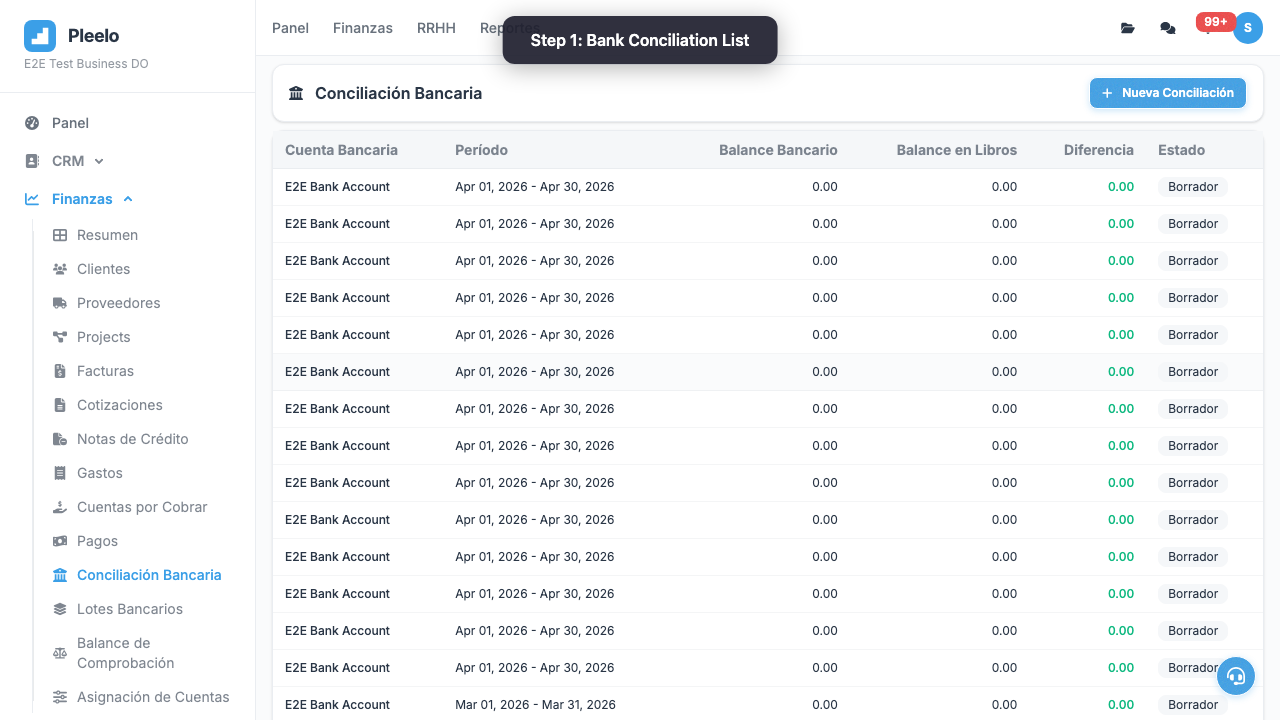
- Go to Bank > Reconciliations
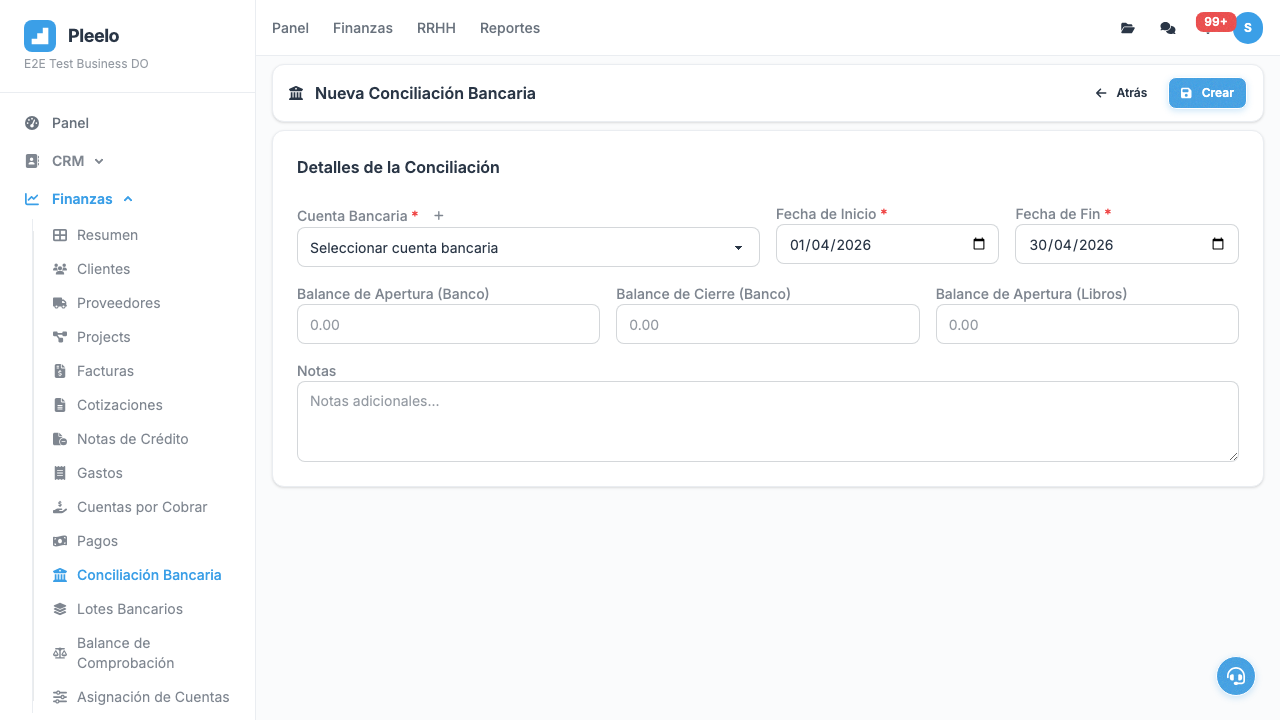
- Click New Reconciliation
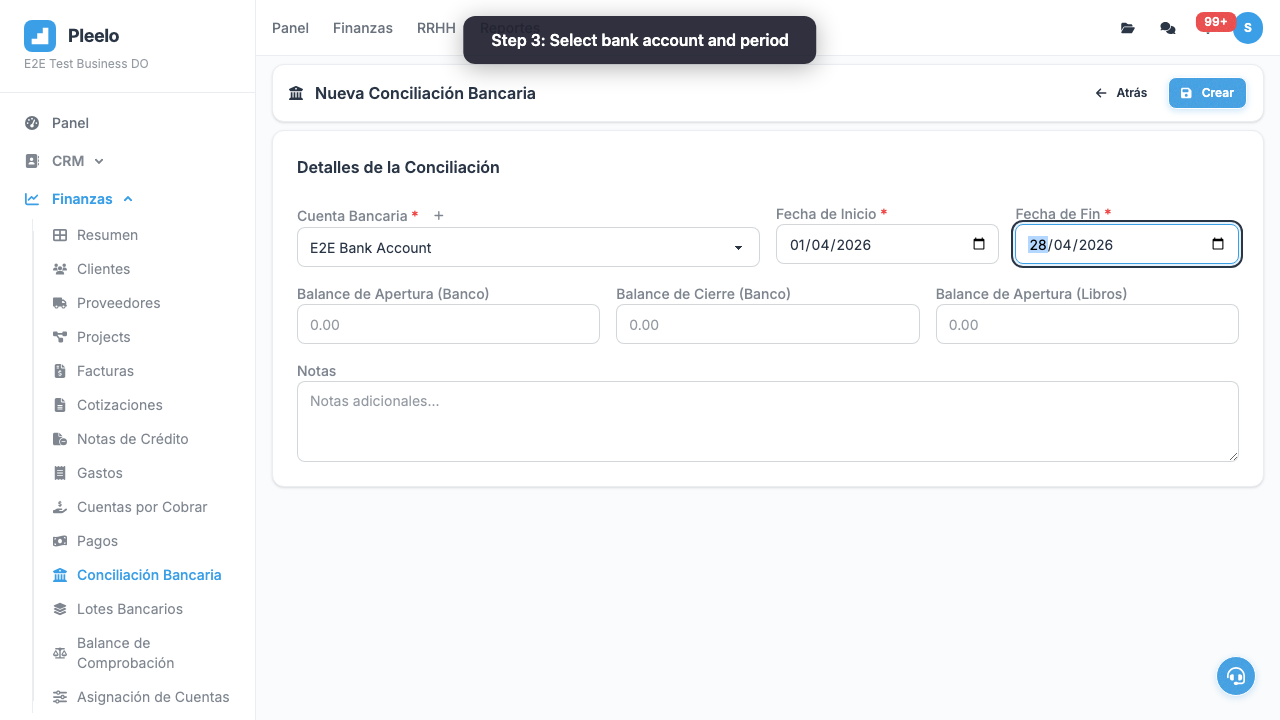
- Select bank account
- System shows:
- Bank balance (from your bank)
- Your balance (from Pleelo)
- If don't match, click Investigate
- System lists pending transactions
- Mark ones that explain difference
- Click Reconcile
3Common Differences
"Bank and I Don't Match"
Reason 1: Check not cashed
- You issued check for RD$5,000
- Customer hasn't cashed it yet
- Your balance: RD$5,000 less (committed)
- Bank: Doesn't subtract (not cleared) Solution: Mark as "pending".
Reason 2: Deposit in transit
- Customer deposited RD$3,000 today
- You already recorded in Pleelo
- Bank credits it tomorrow Solution: Mark as "in deposit".
Reason 3: Bank fee
- Bank charged RD$50 fee
- You didn't record it Solution: Create transaction in Pleelo for fee.
Final Tip
Reconcile monthly, end of month. If wait 6 months, impossible to find differences.
Video Tutorials
Create a Conciliation
How to create and manage a bank conciliation step by step.
0:50Visual guide
Reference screenshots from the product and guided flows captured for documentation.
Product screens3 screenshots


Step-by-step walkthrough3 screenshots