Bank — Bank Reconciliation
Compare your bank activity with your records and resolve differences with less manual work.
Applies to: Dominican RepublicCurrent profile: United States / EN
Localized Guides and Media
This article is currently documented for Dominican Republic workflows. If your organization operates in United States, some rules, screenshots, or tutorial steps may differ.
1What Is Bank Reconciliation?
Reconciliation means: "Compare what the bank says I have vs. what I say I have."
Example:
- Bank says: You have RD$50,000
- Your records say: You have RD$50,200
- Difference: RD$200 (check not yet cashed)
Reconciliation = explain the difference.
2Reconciliation Process
Step by Step
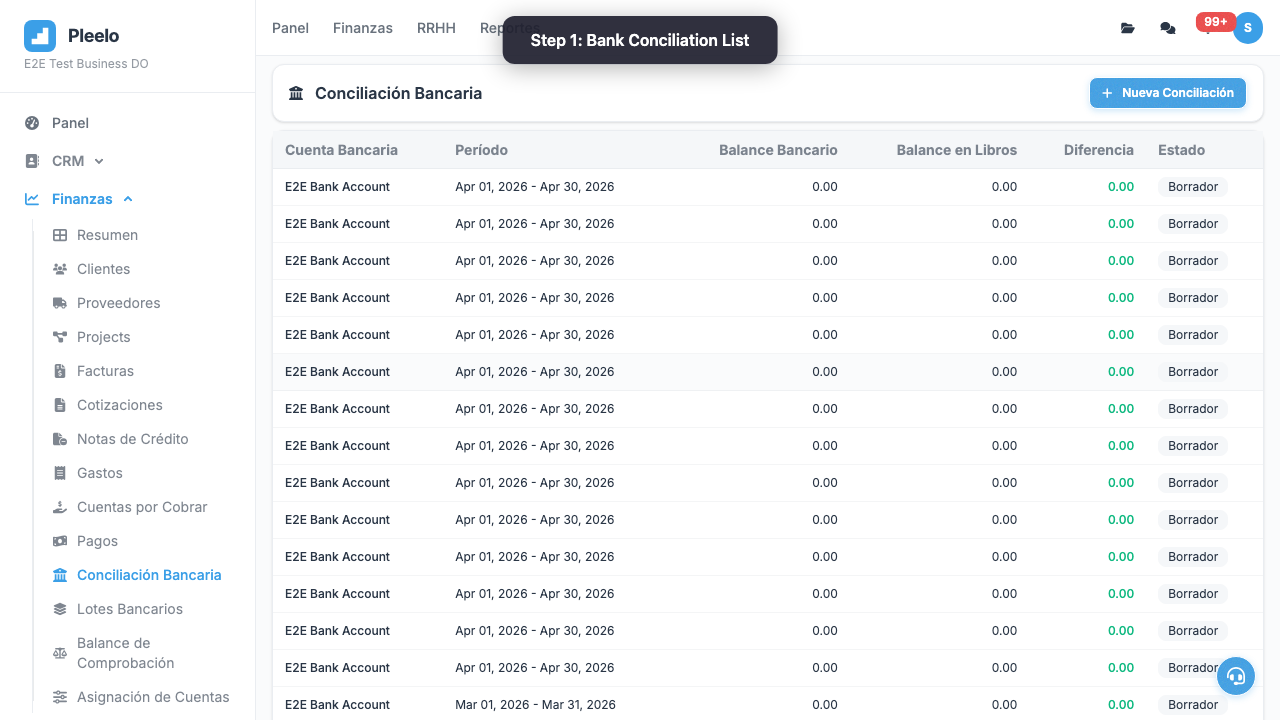
- Go to Bank > Reconciliations
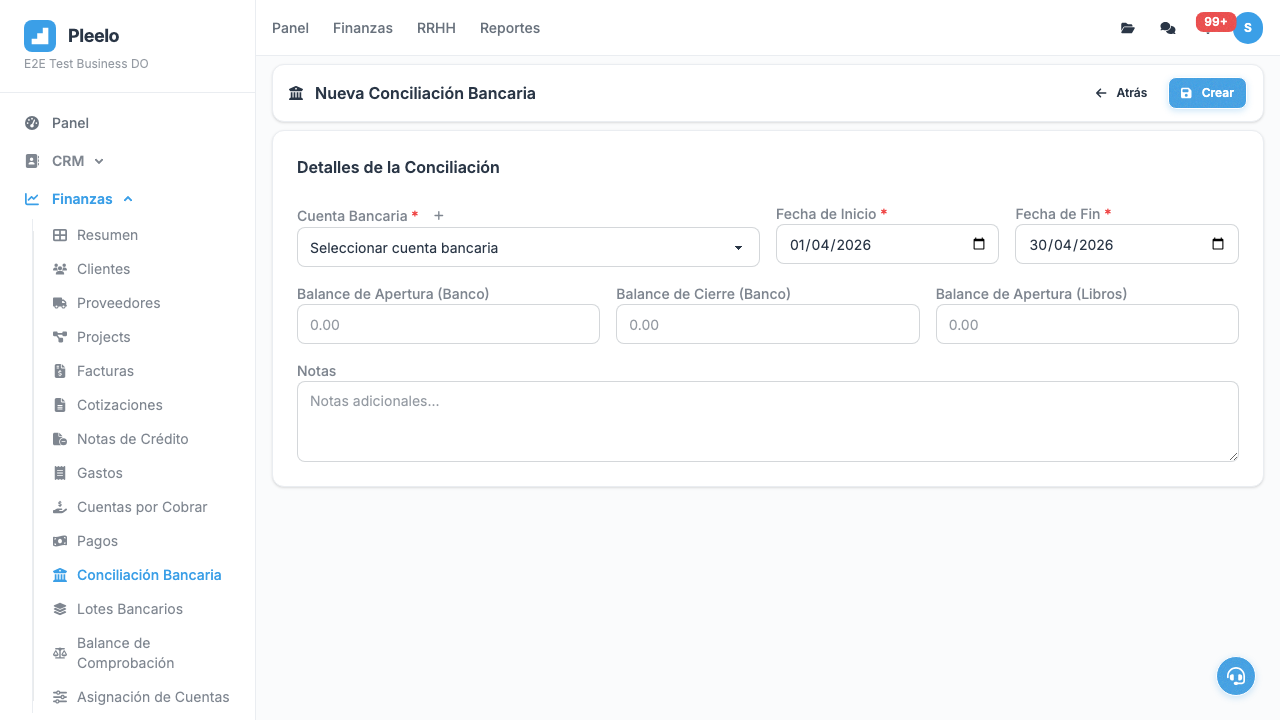
- Click New Reconciliation
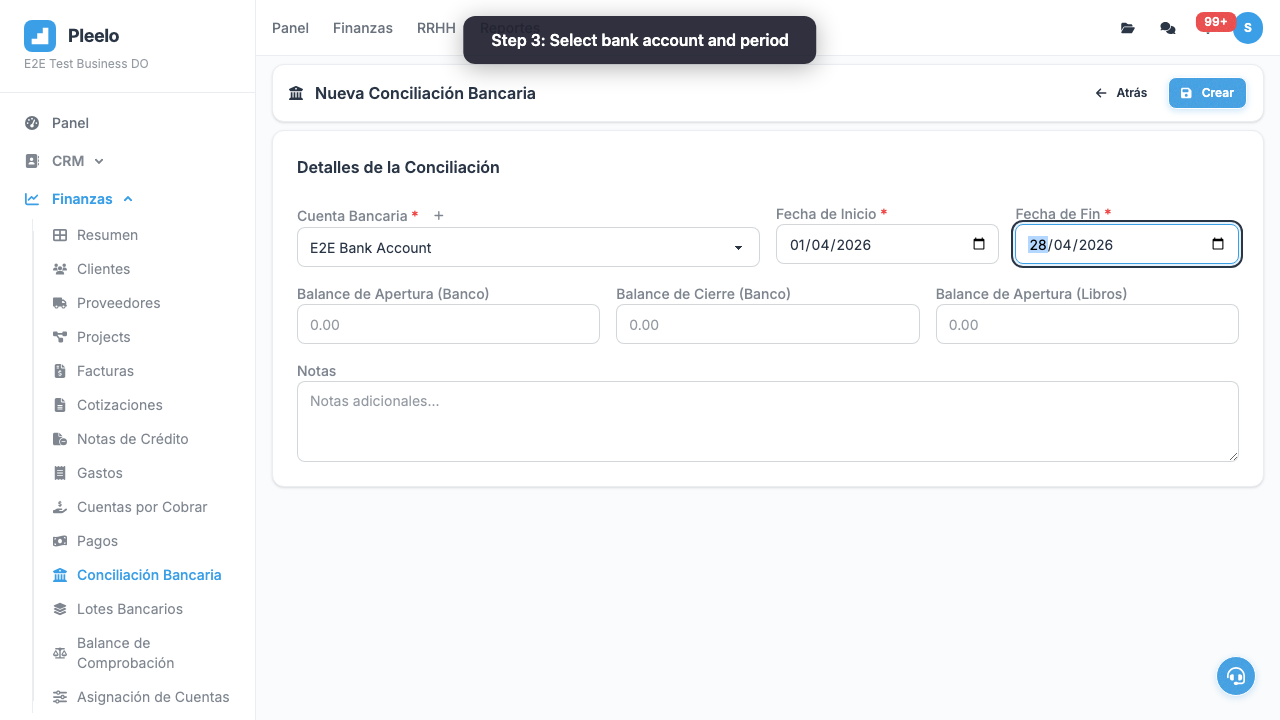
- Select bank account
- System shows:
- Bank balance (from your bank)
- Your balance (from Pleelo)
- If don't match, click Investigate
- System lists pending transactions
- Mark ones that explain difference
- Click Reconcile
3Common Differences
"Bank and I Don't Match"
Reason 1: Check not cashed
- You issued check for RD$5,000
- Customer hasn't cashed it yet
- Your balance: RD$5,000 less (committed)
- Bank: Doesn't subtract (not cleared) Solution: Mark as "pending".
Reason 2: Deposit in transit
- Customer deposited RD$3,000 today
- You already recorded in Pleelo
- Bank credits it tomorrow Solution: Mark as "in deposit".
Reason 3: Bank fee
- Bank charged RD$50 fee
- You didn't record it Solution: Create transaction in Pleelo for fee.
Final Tip
Reconcile monthly, end of month. If wait 6 months, impossible to find differences.
Video Tutorials
Create a Conciliation
How to create and manage a bank conciliation step by step.
0:50Visual guide
Reference screenshots from the product and guided flows captured for documentation.
Product screens3 screenshots


Step-by-step walkthrough3 screenshots